











When documentation is not enough
Every payment platform reaches a point where flexibility becomes essential.
More use cases. More configurations. More ways to do the same thing. That is what allows teams to scale. It is also what introduces friction at the exact moment clarity is needed.
AI Copilot was built to remove that pause.
Most questions are not big enough to open a ticket. They are small blockers that appear in the middle of work. A setting that needs clarification. A setup step that is easy to miss. A feature that behaves slightly differently depending on context. Copilot exists to keep momentum going when the work should not stop.
Built from real questions not assumptions
How it works
Ask Copilot a question and get clear, actionable guidance. From onboarding new merchants to terminal setup or connecting a shop to an acquirer, Copilot simplifies complex processes into clear steps.
No need to search through documentation or wait for a response from support. You ask, Copilot answers and you move forward.
Built for Real Workflows
We designed Copilot around the questions our merchants actually ask. The platform is powerful, and our job is to make sure you can use it with confidence.
Copilot is part of that commitment: instant clarity on setup tasks, configuration options and platform features, all in one place.
Your time matters. Copilot helps you spend it on what counts.
Always Available
Questions don't wait for business hours. Copilot is available whenever you're working, ready to help you get things done on your schedule. No tickets to open, no queues to wait in. Just straightforward guidance when you need it.
A natural extension of paytech
AI Copilot reflects how paytech builds products. Powerful under the hood. Clear on the surface.
As the platform evolves, Copilot evolves with it. New features. New workflows. New configurations. The guidance stays aligned with how the platform actually works.
The goal is simple. Reduce friction. Increase confidence. Let teams focus on execution.
Work does not pause
AI Copilot was not designed in isolation. It was shaped by the questions teams actually ask while using paytech.
Questions that come up during onboarding. During terminal setup. During merchant configuration. During integration checks.
Instead of forcing users to adapt to documentation structures, Copilot adapts to how people work. You ask the question as it comes to you. Copilot responds with guidance that fits the platform logic.
This turns platform knowledge into something accessible in the moment it is needed.
Try It Now
Look for the chat icon, type your question and see how it can help you get more done with less friction.
We built Copilot to make your experience with paytech smoother and faster.
Guided setup from start to finish
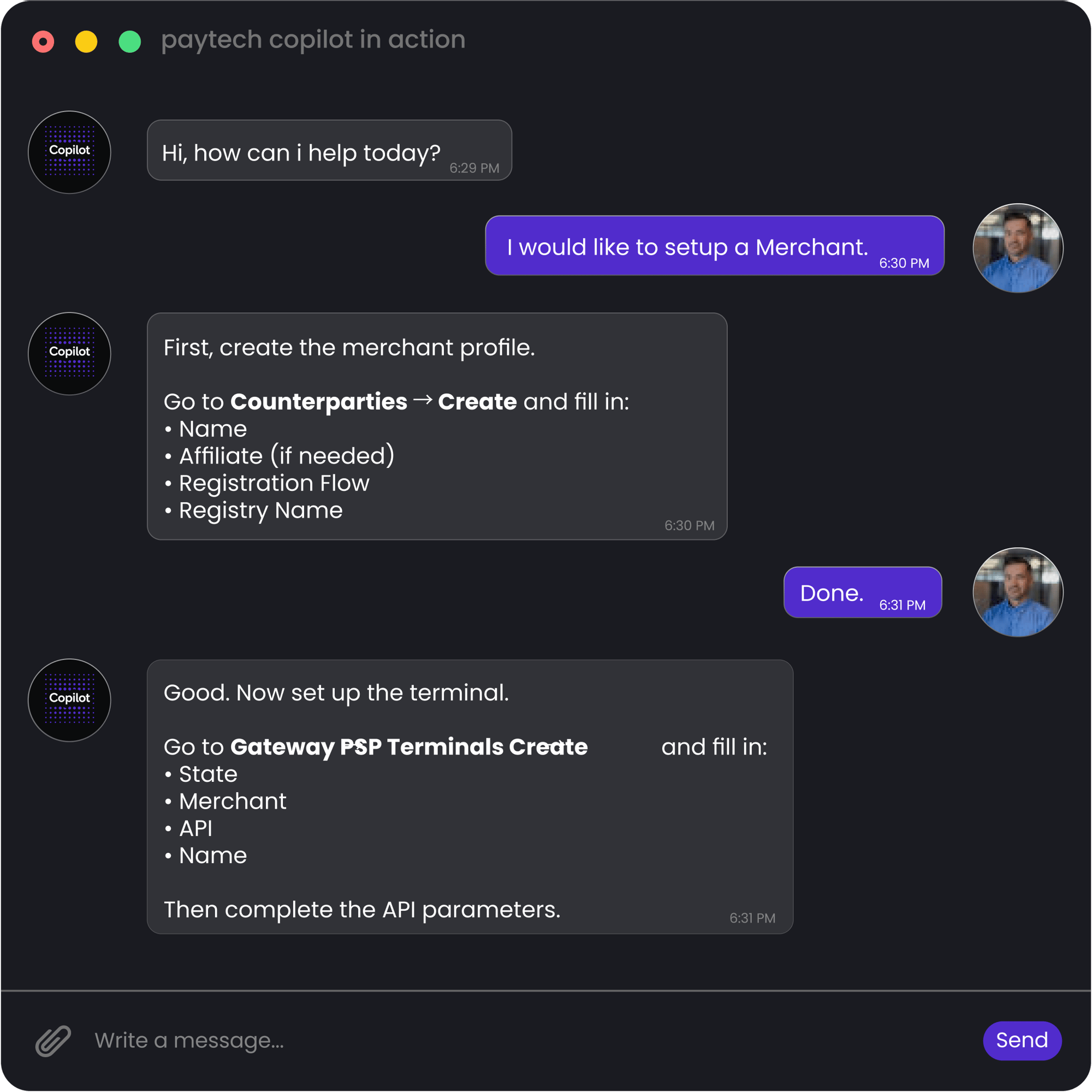
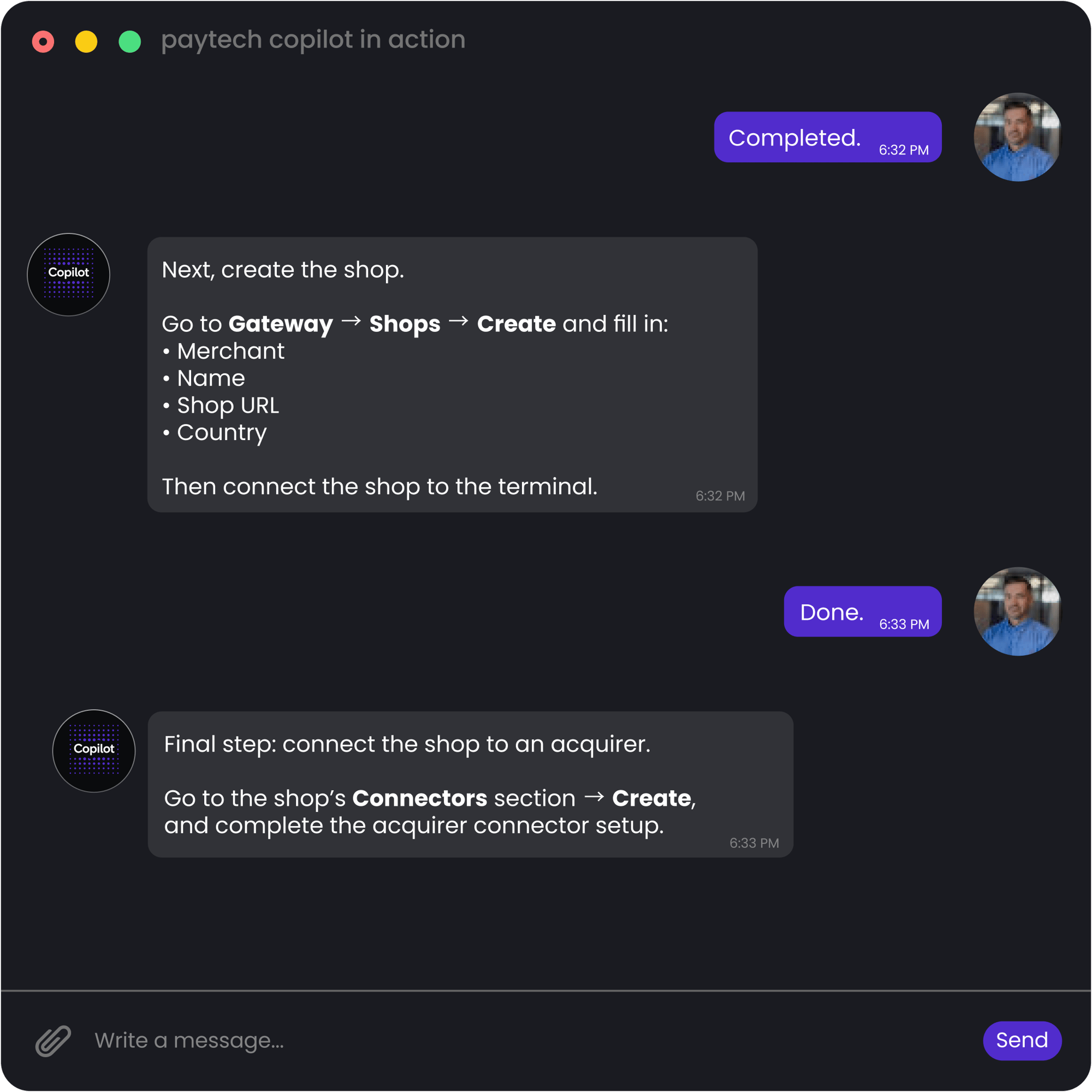
Copilot removes the guesswork from setup. Instead of jumping between menus, it walks you through the full flow in chat. Create the merchant. Add the terminal. Set up the shop. Connect the acquirer.
You follow the steps as they’re explained, and the setup is completed without breaking focus.
Complex logic, explained clearly
When configurations get more advanced, Copilot keeps things readable. It explains how to connect multiple connectors, define priorities, and apply routing rules in plain language.
You ask a question and receive guidance that reflects the actual logic of the platform. Complex flows stay manageable because each step is explained in context.
Direct answers that lead to the exact setting
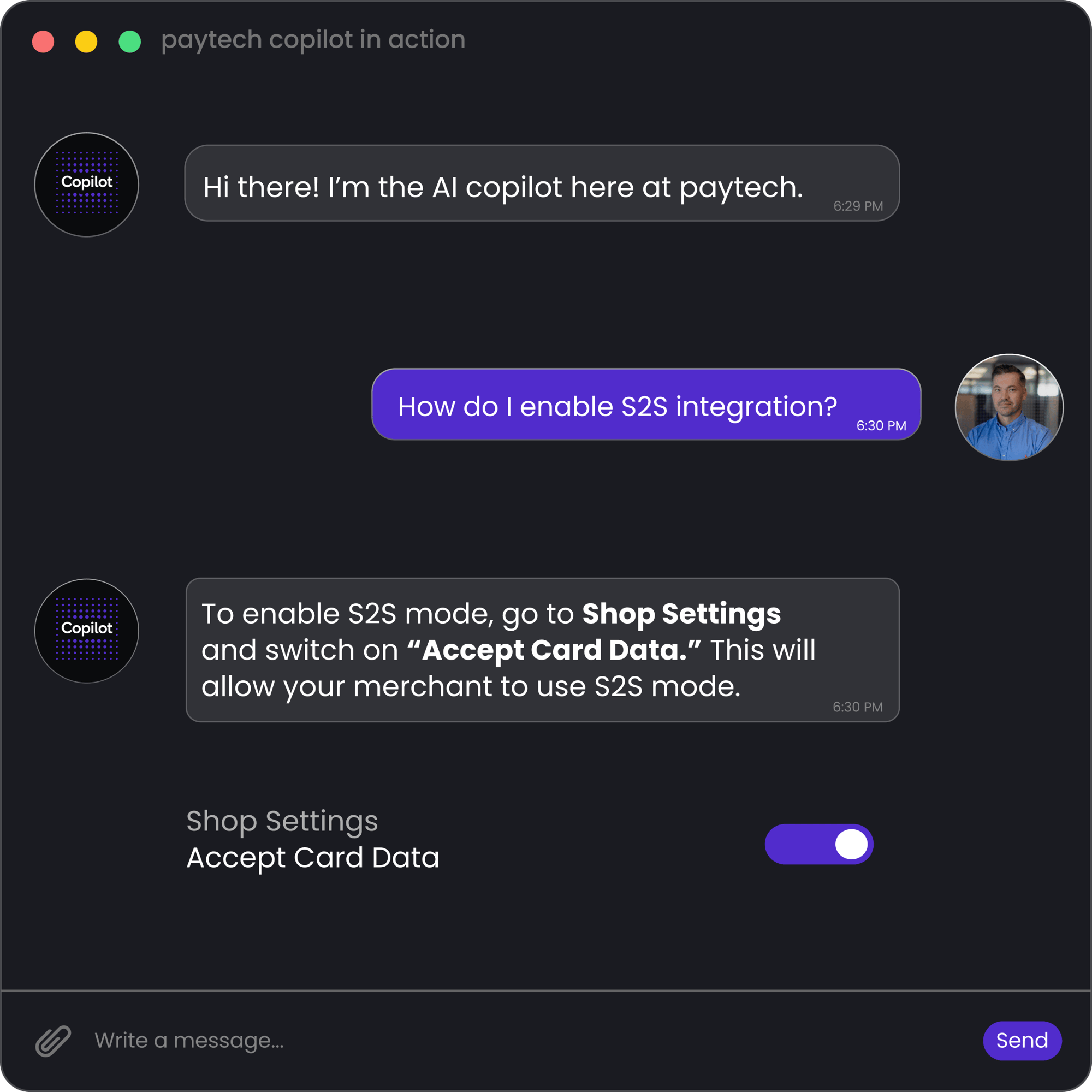
Copilot does not answer in abstracts. It points you to the precise place where action is needed.
Ask how to enable a feature, and Copilot shows you where to go and what to switch on. In this case, enabling “Accept Card Data” to unlock S2S mode. No searching. No second guessing. Just clear direction.